

Functional QA misses human friction
Links can work, forms can submit, and components can render while the message still confuses the audience the experience was built to serve.
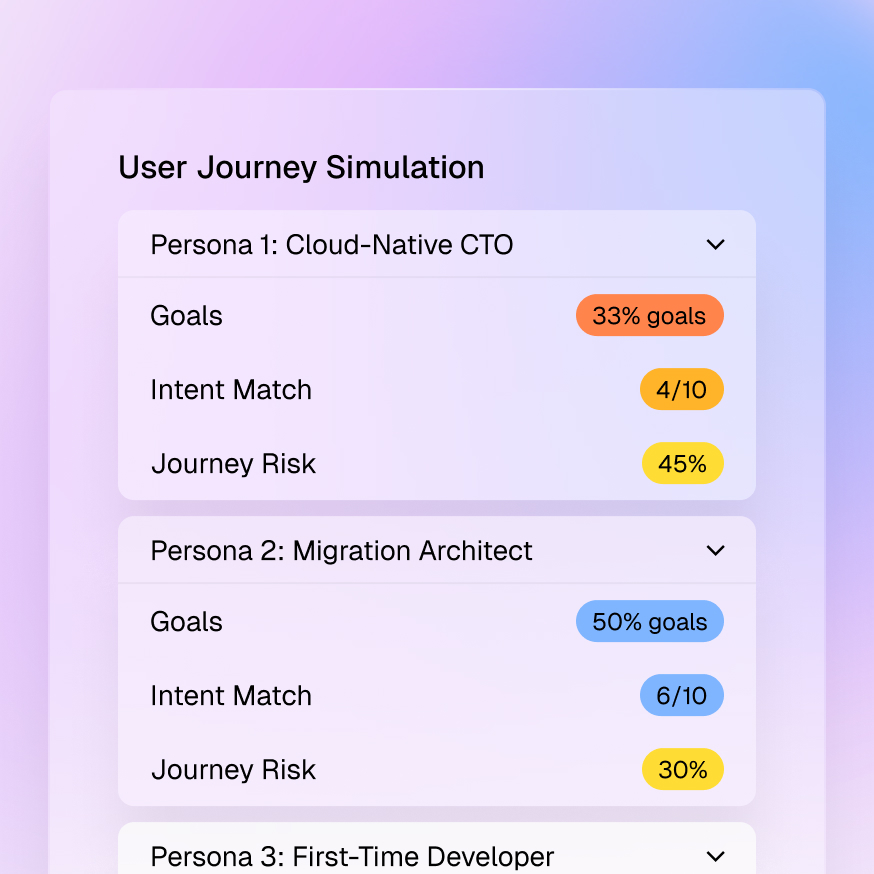
Links can work, forms can submit, and components can render while the message still confuses the audience the experience was built to serve.
A page that feels clear to a returning customer may feel vague, risky, or incomplete to a first-time evaluator.
Clarity, relevance, confidence, and emotional response are often reviewed informally after the build is already treated as finished.
Teams discover the broken path through stakeholder feedback or post-launch analytics, when the launch window has already passed.
Gradial runs the review against the experience your team provides, through the preview and access method configured for that environment. It reports findings only. Your team decides what changes, who owns the work, and whether the experience is ready to launch.
Choose a content review, single-page experience review, or multi-step journey analysis, then define the audiences and goals that matter.
Gradial clicks, scrolls, reads, and navigates in a real browser while evaluating clarity, relevance, sentiment, flow logic, and goal completion.
Findings are organized by audience, severity, evidence, and recommended next step so reviewers can focus on the decisions that require judgment.
Gradial evaluates whether the message is clear, relevant, credible, and complete for each target audience.
Gradial tracks where confidence rises or falls and where the experience creates neutral, negative, or frustrated reactions.
Gradial flags unclear calls to action, dead ends, confusing transitions, missing information, and navigation that works against the intended goal.
Gradial separates findings by persona or audience so teams can see where one experience works for one group and fails another.
Gradial connects each issue to the observed evidence, likely impact, and recommended response instead of handing reviewers an unprioritized defect list.
Reviewers can turn selected findings into Gradial tasks. Teams with a configured Jira integration can create linked Jira tickets when external tracking is needed.
Functional QA confirms that the experience works. Pre-launch experience review evaluates whether it is clear, credible, navigable, and actionable for the specific people it was built to serve.
It can review experiences available through a configured connected environment or an authenticated, browser-accessible preview. Exact access depends on the system, preview method, and permissions your team provides.
No. It gives human reviewers a prioritized view of likely friction before UAT, so they can spend their time on judgment, edge cases, and launch readiness instead of discovering every basic issue from scratch.
No. The review produces findings and recommendations only. Your team decides what to change, makes or assigns the update, reviews the result, and controls every launch and publishing action.