

Campaign Workflow Orchestration: From Brief to Governed Launch
T-Mobile reports 90% faster time to market and 10x throughput after moving campaign execution into Gradial. The shift starts before any page or email is built: the brief becomes a governed workflow with assigned owners, explicit dependencies, review gates, and connected system actions.
Campaign workflow orchestration coordinates the complete launch. Grady, Gradial's agent, breaks the plan into executable work, routes tasks to agents and teammates, keeps dependent steps in sequence, pauses for designated approvals, and keeps connected work management platforms aligned with the work.
This guide covers coordination from brief to launch; Content and Campaign Execution covers the production layer.
For the broader operating model, start with Agentic Marketing Operations.
Explore Gradial Workflows | Read the T-Mobile story | Map your campaign workflow
Campaign launches stall at four control points
- Incomplete intake: The request arrives without the launch date, channel scope, source files, accountable owner, or review path required to start cleanly.
- Unclear ownership: Work waits because no one can see which task belongs to an agent, which decision belongs to a teammate, and who must approve the result.
- Broken dependencies: Pages, emails, assets, QA, and launch steps move in separate queues, so downstream work starts late or advances with stale context.
- Late governance: Brand, accessibility, compliance, and final launch checks appear at the end instead of acting as explicit gates throughout the workflow.
How Gradial turns a campaign brief into governed execution
Gradial Workflows connects the plan, the people, the agents, and the systems that carry a campaign to launch. The workflow mechanics are concrete:
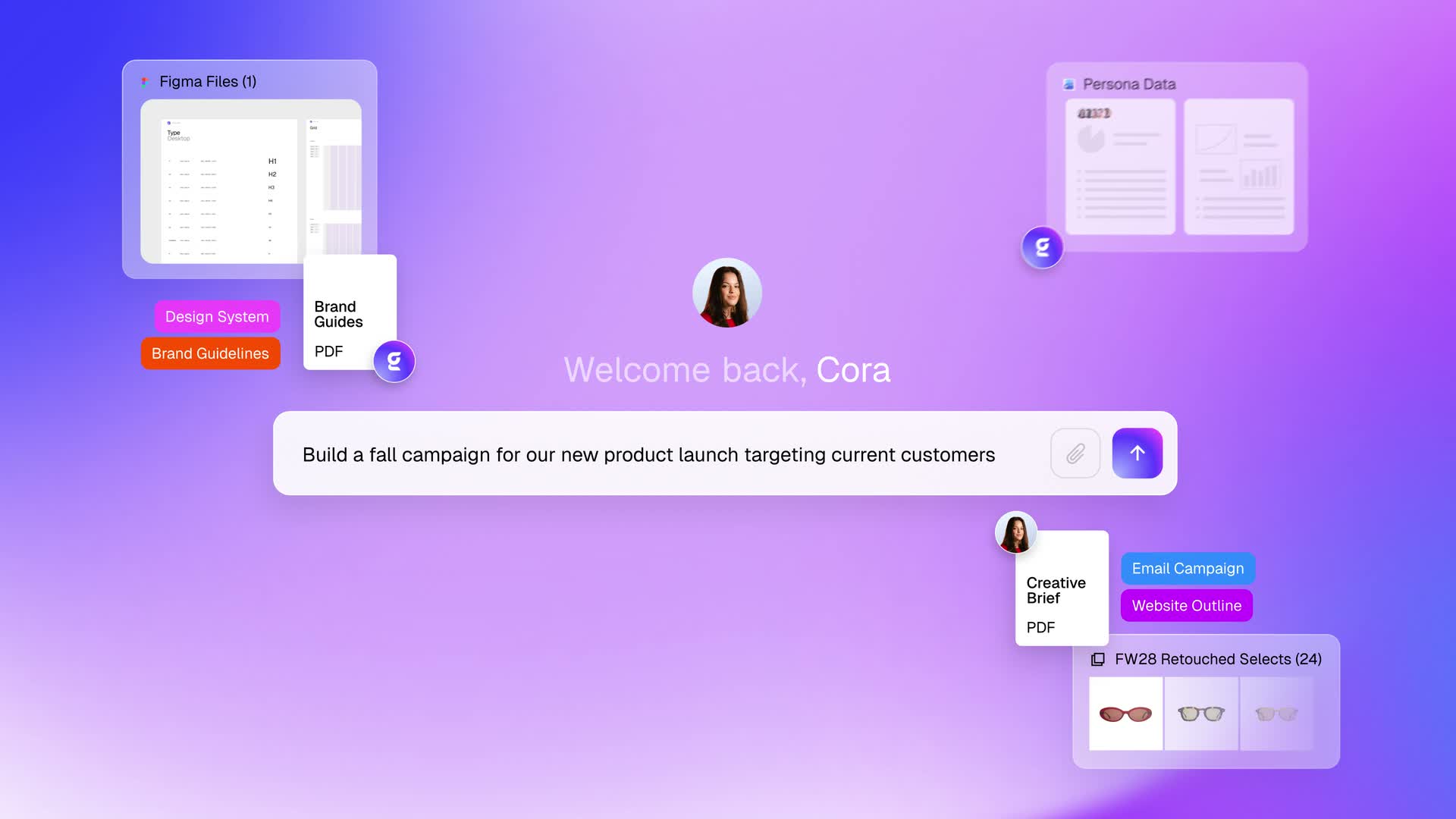
- Break down the plan: Upload a brief, strategy document, or process diagram. Grady, Gradial's agent, decomposes it into actionable tasks and subtasks.
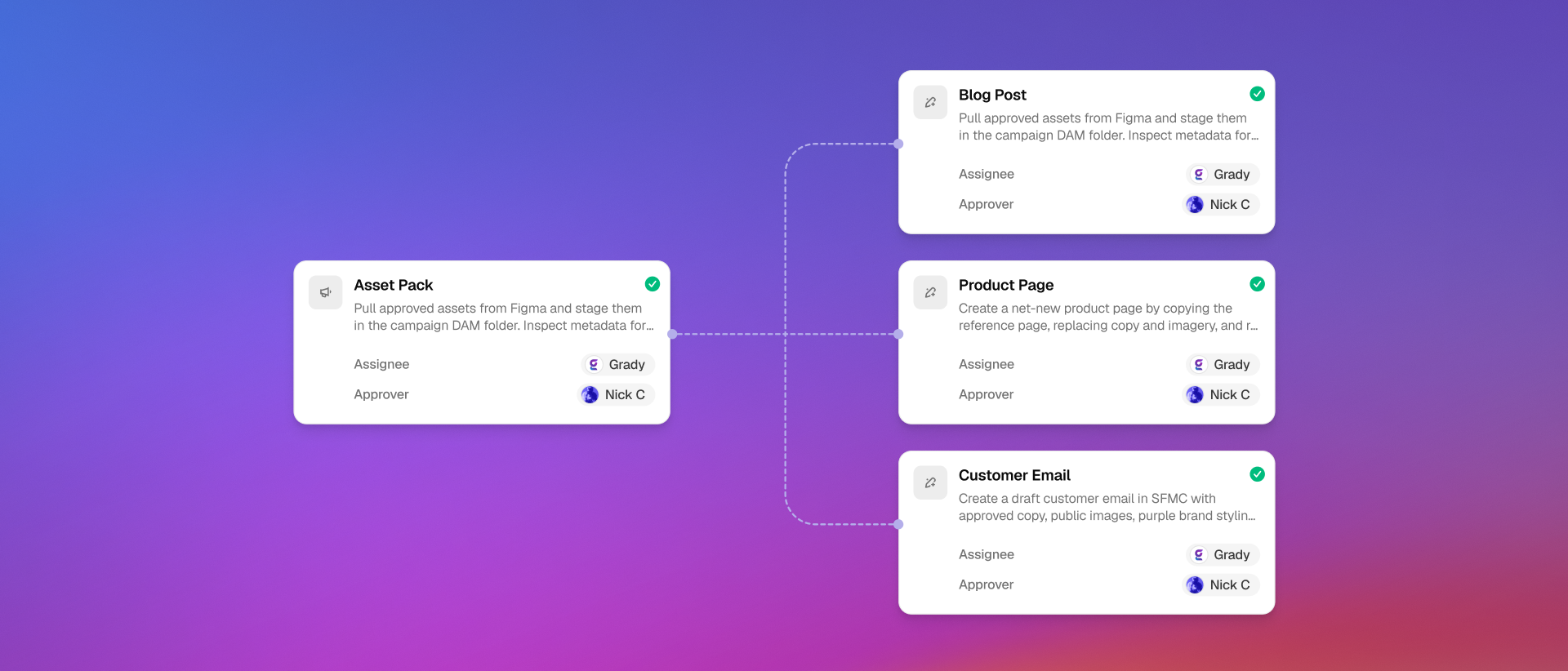
- Assign owners and approvers: Route execution and approval to a Gradial agent or named teammate based on the workflow context.
- Execute across platforms: Agents build emails, draft CMS content, and stage landing pages directly in connected marketing systems.
- Map every dependency: See each task, dependency, owner, blocker, and status in a live visual workflow map.
- Pause for human approval: Stop at QA, brand, accessibility, and compliance checkpoints until the designated approver signs off.
- Keep work management systems in sync: Create and update tasks in connected platforms such as Jira, Wrike, Asana, monday.com, and Workfront, then wait for required external status changes before the workflow continues.
Orchestration and execution solve different parts of the launch
Campaign orchestration is the operating layer. It defines the tasks, owners, dependencies, approvals, blockers, and next actions that keep the launch moving.
Campaign execution is the production layer. It creates and updates the pages, variants, localized content, emails, and other outputs required by the plan.
- This guide: Use it to understand how a campaign moves from intake through assignment, dependency management, approvals, work management coordination, and launch readiness.
- Content and Campaign Execution: Use it to evaluate how Gradial produces and updates campaign content inside the systems where that work belongs.
The two layers work together. Orchestration decides what moves next and under which controls. Execution completes the operational work attached to each step.
Intake and breakdown: convert the brief into executable work
The workflow begins with the campaign plan your team already uses. A brief, strategy document, or process diagram supplies the context Grady needs to break the launch into actionable tasks and subtasks.
The goal is not to generate a prettier checklist. It is to create work that can run. Each task needs an owner, an expected output, a dependency state, and an approval path where review is required.
- Capture the plan: Keep the campaign objective, launch timing, channel scope, source files, and review requirements connected to the workflow.
- Break down the work: Turn the plan into executable tasks for CMS content, landing pages, emails, QA, approvals, and work management coordination when those workstreams are part of the launch.
- Expose missing inputs: Treat absent owners, source files, dates, or decisions as blockers that can be resolved before dependent work starts.
Assignment and approvals: give agents the work and people the decisions
Gradial assigns execution and approval based on the workflow context. Operational work can go to agents, while named teammates keep ownership of judgment, review, and sign-off.
- Execution owner: Assign the task to a Gradial agent or teammate responsible for producing the required output.
- Approver: Name the person accountable for the decision at a QA, brand, accessibility, or compliance checkpoint.
- Review context: Keep the source plan, work output, status, and open blockers connected to the task so the approver can make the decision with the relevant evidence in view.
- Gate behavior: Hold dependent work until the designated approval is complete.
Humans stay in control because approval is part of the workflow mechanics, not a promise added after the work is done.
System execution and dependencies: move connected work without losing context
Gradial agents execute campaign work inside connected marketing systems. They build emails, draft CMS content, stage landing pages, and create or update tasks in connected work management platforms as part of the campaign workflow.
The visual workflow map keeps every task, dependency, owner, blocker, and status connected. Independent workstreams can move in parallel, while dependent steps wait for the work or approval they require.
- CMS and landing-page work: Draft the content and stage the experience in the connected system.
- Email work: Build the campaign email as part of the same governed workflow.
- Parallel work: Let independent tasks advance together instead of forcing every team through a single queue.
- Dependent work: Keep a downstream step waiting when its required input, approval, or external status has not arrived.
Launch readiness: make the final decision from the workflow state
A campaign is not ready because every team says its part is close. It is ready when the workflow shows the required work, dependencies, and approvals in a state the launch owner can evaluate.
- Work status: Review the current state of every required task and blocker in the workflow map.
- Dependency status: Confirm that downstream steps are no longer waiting on required inputs or external status changes.
- Approval status: Confirm that the designated QA, brand, accessibility, and compliance gates are complete where required.
- Decision ownership: Keep the final go or no-go decision with the accountable human owner.
Gradial provides the connected execution state. Your team decides what ships.
Workflow mechanics: what triggers what
A useful campaign workflow makes the trigger, dependency, action, and human gate visible. These examples show how the mechanics fit together.
| Trigger | Dependency or gate | Workflow action |
|---|---|---|
| Campaign plan uploaded | Brief, strategy document, or process diagram is available | Break the plan into actionable tasks and subtasks. |
| Task created | Execution and approval roles are known | Assign the task to a Gradial agent or named teammate and identify the approver where required. |
| Independent tasks are ready | No unmet dependency blocks the work | Run the workstreams in parallel. |
| CMS, landing-page, or email task is ready | Required source context is attached | Execute the work in the connected marketing system. |
| Review checkpoint reached | Designated QA, brand, accessibility, or compliance approval is required | Pause until the approver signs off. |
| External work status is required | The workflow depends on a task state in a connected work management platform | Create or update the task, then wait for the required status change before continuing. |
Measure the coordination layer, not just the content output
The production page measures what gets built. Campaign orchestration should also be evaluated by how reliably the work moves. These five signals help teams establish a baseline for coordination from brief to launch.
| Signal | Before orchestration | After orchestration |
|---|---|---|
| Plan breakdown | Teams translate the same brief into separate checklists and tickets | One workflow connects the tasks and subtasks implied by the plan. |
| Ownership clarity | Execution and approval responsibilities are discovered during the launch | Each task shows its owner and designated approver. |
| Dependency visibility | Blockers surface through meetings and status messages | The workflow map shows tasks, dependencies, blockers, owners, and status. |
| Approval control | Review timing varies by team or channel | Required checkpoints pause the workflow until sign-off. |
| System coordination | Work management and production drift into separate records | Task creation, updates, and required status changes stay connected to the workflow. |
Proof: T-Mobile compressed campaign execution
T-Mobile provides the clearest proof for this use case. A large campaign that historically required roughly 1,000 to 1,200 cumulative hours was executed with Gradial in about 80 hours with humans focused on QA. Without the QA layer, the underlying execution ran in roughly 30 minutes.
- 90% faster time to market for campaign execution.
- 10x throughput.
- Human review stayed focused where it mattered most instead of being removed from the process.
What better campaign orchestration changes
- The plan becomes executable: Tasks, subtasks, owners, approvers, and source context start from one campaign plan.
- Work moves with fewer coordination gaps: Independent tasks can advance in parallel, while real dependencies and human gates stay enforced.
- Launch decisions become clearer: The workflow map shows the status, blockers, dependencies, and approvals the accountable owner needs to decide what ships.
Campaign workflow orchestration FAQ
Can Gradial work with or replace our project management tools?
Yes. Some teams keep platforms such as Jira, Wrike, Asana, monday.com, or Workfront connected to Gradial. Others use Gradial to coordinate the work directly, reducing or replacing the project management layer for those workflows. The right model depends on where your team wants the work and decisions to live.
What happens when an approver rejects the work?
The workflow pauses at the approval gate. The approver sends feedback, the responsible owner revises the work, and dependent tasks remain blocked until the required approval is complete.
Bring a real campaign brief
- See the workflow mechanics: Review how Gradial breaks down plans, assigns work, maps dependencies, pauses for approval, and keeps connected work management platforms aligned.
- Evaluate the production layer: See how Gradial builds and updates pages, variants, localized content, and campaign outputs.
- Book a demo: Bring a real campaign brief and map the tasks, assignments, dependencies, review gates, and execution path with the Gradial team.